Cataylst (Acquired by Totango)
Role
Senior Product Designer
Team
PM, Lead Engineer & Me
Timeline
2+ months, 2024
Impact
Highest-adopted launch in company history
TAGS
Data & Reporting
Customer Success
SaaS
Shipped
Tools
Check out the main flow
01
The Challenge
“How do we make all these fields of data into actionable insights?”
Catalyst customers had the data they needed, but they couldn’t easily turn it into the metrics their teams relied on.
They needed to answer everyday questions like:
How much revenue potential exists in this account?
What is the product utilization rate?
How long has it been since a renewal conversation?
How engaged is this customer across meetings, emails, and product usage?
Without Calculated Fields, users leaned on spreadsheets, BI tools, or engineering just to build simple metrics. That slowed teams down and capped what Catalyst could power inside the product.
02
The Goal
“How might we make complex business logic feel visual, guided, and understandable?”
We needed to let non-technical users build business logic directly inside Catalyst without ever feeling like they were writing code.
Users should be able to combine fields, apply logic, preview results, and reuse metrics across the platform. The design had to support genuinely complex workflows while staying approachable to someone who’d never touched a formula.
$1.2M+
in ARR was tied to customer requests for this functionality — the demand was already there.
03
Design Principles
Before exploring solutions, I grounded the work in a few principles that could keep a complex feature human, scalable, and easy to recognize across the product.
🧠
Visually build calculated fields in the app the way a user would attempt to write them on paper.
🏡
Design a solid foundation
Create a strong foundation where users could effortlessly build on top of Calculated Fields to complete 90% of their goals.
👁️
Visual Metrics
Anywhere Calculated Fields appeared, the visuals needed to help someone who did not set up the field understand it quickly and accurately.
04
The Solution
Calculated Fields let Customer Success teams create custom metrics from data across their whole stack.
We designed Calculated Fields as an approachable way for non-technical users to create business logic directly inside Catalyst. Users could combine fields, apply logic, preview results, and reuse calculated metrics across the platform.
The goal was to support complex workflows without making users feel like they were writing code.
05
The Process

After research, we set out to build the most powerful formula builder. There was nothing like it on the market.
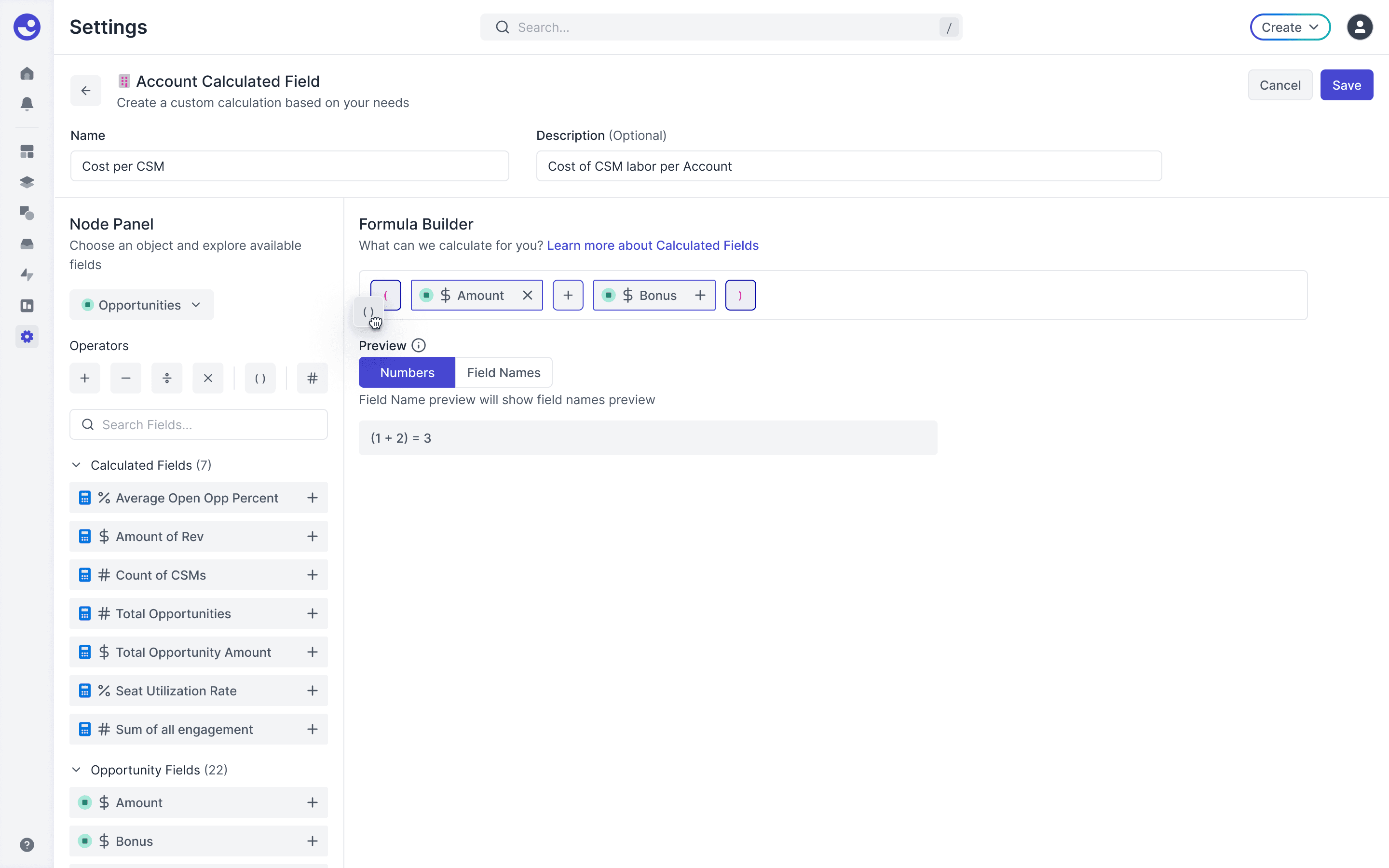
Users could drag fields onto a canvas, type formulas directly, combine operators, stack calculations, and preview results in real time. It was powerful by design. We wanted people to feel they could model almost any business metric.

We tested this design with our internal team of Customer Success Managers to huge success, but we noticed something when showed this to our larger, customer base.
06
The Iteration
Key insight
Most users weren’t building advanced formulas. They were building the same common business calculations.
Calculated Fields let Customer Success teams create custom metrics from data across their whole stack, but most users were building really simple calculations.
These insights led us to split our user base into two buckets, power users & beginners. We had our power users covered, now we designed an experience for our beginners.
Power users
The full flexibility of the original builder, kept intact.
Beginners
Guided workflows that make the common cases fast and obvious.
So we redesigned the experience around guided calculation flows. Instead of starting with a blank formula builder, users could choose from common calculation types:
Sum
Count
Average
& a few more niche ones

Users were flying through building calculations & we heard over and over again that "this is so simple!"
This redesign quickstarted users into creating so many calculated fields, we had to put a cap on it eventually. The customers were impressed.
07
The Results
Calculated Fields became the most successful launch in Catalyst’s history.
76%
Adoption within the first 21 days
100%
At-risk customer adoption
“My god, [Calculated Fields] is the most wonderful thing.. this is way easier than Gainsight, I have to tell my former colleagues they're missing out!"
A
V.P. of Customer Success
Alyce
Open Beta Success: In the first 30 days of our open beta, with no help articles available, 72 customers created 297 calculated fields across 7 objects.
Enhanced Functionality: Since the MVP release, we have added lookup, duration, and rank formulas, significantly expanding our already powerful builder.
Customer Feedback and Improvements: We closed 54 feature request tickets, addressing customer needs and easing engineering burden.
Customer Retention: Four at-risk customers, identified as critical, renewed their contract and 100% of at-risk customers adopted CFs within the first 60-days.
Would I change anything?
While this was my most successful project during my time at Catalyst, I would invest earlier in collaboration with our customers. We chose to utilize our internal team for our research in the beginning and didn't realize that we were only interviewing power users and missed a huge segment of Customer Success Managers who need simple functions.
NEXT PROJECT
Topogy Feature Board
Designing visibility into AI-native engineering progress.
Read next